Running separate sockets, adapters and power lines for every IP camera, wireless access point, IP phone and access control terminal in your office is both costly and messy. A PoE switch simplifies installation by carrying both data and power to these devices over the same ethernet cable, enables central power management and lets you feed all endpoints from a single point protected by a UPS. But choosing the right PoE switch is not just about the number of ports: criteria such as the standard class, total PoE budget, cable category and heat management directly determine the success of the project.
In this guide we answer, step by step, what a PoE switch is, how PoE, PoE+ and PoE++ differ, how to calculate a PoE budget and which switch to choose for an enterprise network.
What Is a PoE Switch?
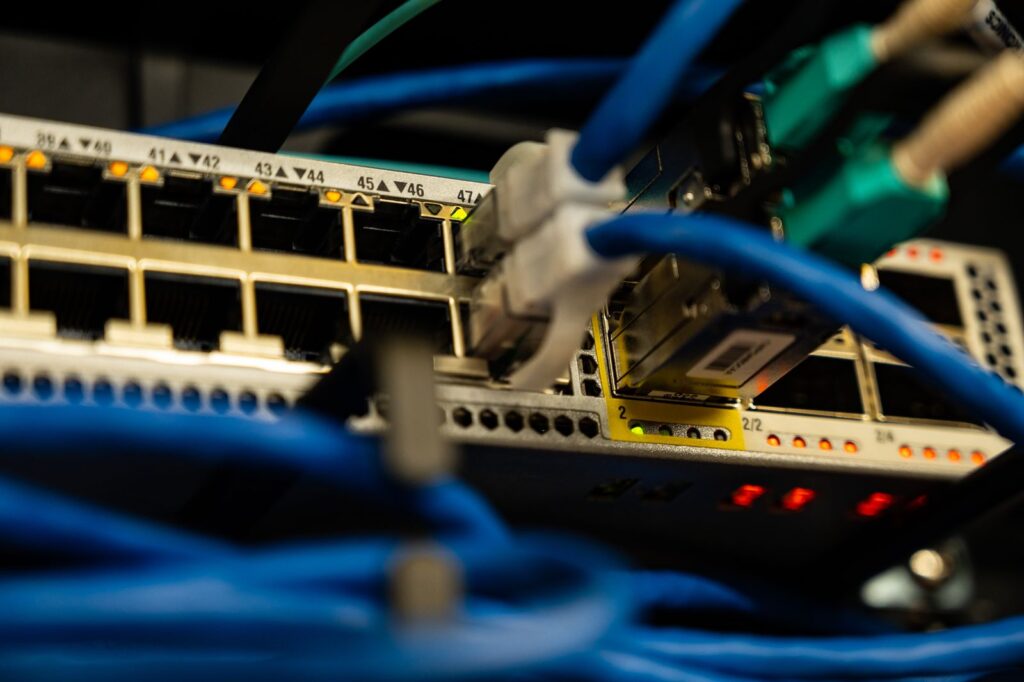
PoE (Power over Ethernet) is the general name for a family of IEEE standards that allow direct current (DC) power to be delivered together with data over twisted-pair copper ethernet cable. A PoE switch is a network switch that can supply this power through its ports. In the standard's terminology, the device supplying power is called the PSE (Power Sourcing Equipment) and the device receiving it the PD (Powered Device). A PoE switch is a PSE; an IP camera, access point or IP phone is a PD.
A standards-compliant PoE switch does not blindly send power to whatever is connected to a port. First, in the "detection" phase, it checks whether there is a PoE-compatible device on the other end; then, in the "classification" phase, it learns how much power the device needs; only then does it start delivering power. This makes it safe to connect a laptop that does not support PoE to the same port. In PoE+ and later versions, devices can also negotiate their power requirements more precisely over layer 2 protocols such as LLDP.
Which Devices Use PoE Switches?
- IP security cameras (fixed, dome and PTZ models)
- Wireless access points (Wi-Fi 6/6E/7 access points)
- IP phones and conferencing devices
- Card access and facial recognition terminals
- Digital signage displays, thin clients and IoT sensors
- PoE-powered LED lighting fixtures
In camera projects in particular, PoE shortens labour time by eliminating the need for separate power lines in the field. In IP/CCTV security camera systems, powering all cameras from one or more PoE switches is the most common design approach today.
PoE vs PoE+ vs PoE++: 802.3af, 802.3at and 802.3bt
PoE is not a single standard; the IEEE has extended it over time to meet growing power needs. The first standard, 802.3af, was published in 2003. 802.3at (PoE+), which followed in 2009, doubled the power. 802.3bt, approved in 2018, uses all four cable pairs for power delivery and defines Type 3 and Type 4 levels; on the market these two levels are usually called "PoE++" or "4PPoE".
| Standard | Market name | Type / Class | PSE power per port | Power at the device (PD) | Pairs used |
|---|---|---|---|---|---|
| IEEE 802.3af | PoE | Type 1 / Class 0–3 | 15.4 W | 12.95 W | 2 pairs |
| IEEE 802.3at | PoE+ | Type 2 / Class 4 | 30 W | 25.5 W | 2 pairs |
| IEEE 802.3bt | PoE++ (4PPoE) | Type 3 / Class 5–6 | 60 W | 51 W | 4 pairs |
| IEEE 802.3bt | PoE++ / Hi-PoE | Type 4 / Class 7–8 | 90 W | 71.3 W | 4 pairs |
The difference between the two power values in the table comes from losses caused by resistance in the cable. The standards calculate this loss for a worst-case 100-metre scenario, so when choosing devices you should always look at the PD-side value. In all PoE versions the channel length limit is 100 metres, the same as standard ethernet.
Which Device Needs Which Standard?
- PoE (802.3af): IP phones, simple fixed cameras, sensors and low-power card readers generally fall into this class.
- PoE+ (802.3at): The typical requirement for most enterprise Wi-Fi 6 access points, outdoor cameras with heaters or IR illumination, and video phones.
- PoE++ Type 3 (802.3bt): Multi-radio high-performance access points, PTZ cameras and small thin clients.
- PoE++ Type 4 (802.3bt): Outdoor PTZ cameras with heaters, digital signage, some LED lighting and high-power IoT applications.
These pairings are general trends; for a definitive decision, always go by the maximum power consumption and supported PoE class stated in the manufacturer's datasheet. Some new-generation access points run on PoE+ but only enable all their radios or USB port with 802.3bt.
What Is a PoE Budget and How Is It Calculated?
The most common mistake when choosing a PoE switch is looking only at the "power per port" value. The total power a switch can distribute across all its ports at the same time is called the PoE budget, and on most models it is significantly lower than "number of ports × maximum power per port". For example, each port of a 24-port PoE+ switch may be able to deliver 30 W on its own, but its total budget may be well below that. When the budget is exceeded, the switch cuts power to some ports according to their priority settings.
Follow these steps for an accurate budget calculation:
- Take an inventory: List every PoE device that will connect to the switch, by model.
- Note maximum consumption: For each device, record the highest power consumption in the datasheet (e.g. with IR on and heater running); use the worst-case value, not the average.
- Account for cable loss: When converting device values to the PSE side, take into account the PSE/PD difference in the standard table.
- Add up and leave headroom: Add at least 20–30% for growth and safety margin to the total requirement.
- Compare with the switch budget: The total PoE budget of the chosen model must exceed this figure; if not, plan for a model with a higher budget, additional power supply support or a second switch.
Example Calculation
Imagine a hypothetical office floor with 10 indoor cameras averaging 8 W each, 6 access points consuming up to 20 W each, and 8 IP phones at 6 W each. The total requirement is 80 + 120 + 48 = 248 W. Adding a 25% margin gives a required budget of about 310 W. In this case a 24-port PoE+ switch with a total PoE budget of 370 W or more would be a comfortable choice, while a model with a 195 W budget would be insufficient from day one.
Criteria for Choosing an Enterprise PoE Switch
1. Manageability
In enterprise environments, a managed or at least smart switch should be chosen. Managed PoE switches offer features such as per-port power monitoring, port priority, scheduled PoE (e.g. turning access points off outside working hours) and remote port reboot. Recovering a frozen camera by cutting and restoring power to its port without a site visit is a practical benefit of these features. Support for VLAN configuration is also essential for separating camera, phone and guest Wi-Fi traffic.
2. Uplink and Port Speeds
Because Wi-Fi 6 and later access points can saturate a single gigabit port, PoE switches with 2.5GBASE-T or 5GBASE-T (multi-gigabit) ports are becoming increasingly common. For the backbone connection, at least 10G SFP+ uplink ports should be preferred. Otherwise, even if the switch's PoE capacity is sufficient, the uplink becomes a bottleneck.
3. Power Supply Redundancy
When a PoE switch stops, not only network connectivity but also all connected cameras and access points lose power. That is why models supporting dual (redundant) power supplies should be planned for critical floors, together with a UPS of sufficient capacity in the cabinet where the switch is installed. The full PoE budget should be counted as load in the UPS calculation.
4. Standards Compliance (Active vs Passive PoE)
There are also "passive PoE" products on the market that supply constant voltage without detection or classification. Because these products can damage an incompatible device, only IEEE 802.3af/at/bt-compliant active PoE switches should be used in enterprise projects. Non-standard proprietary solutions from various vendors labelled "PoE++" also cause confusion from time to time; look for an explicit 802.3bt reference in the datasheet.
5. Heat and Fan Design
A high PoE budget means more heat inside the switch. Fanless models are quiet but generally have a limited budget. For switches installed in a system room or cabinet, check that the airflow direction (front to back) matches the cabinet cooling.
PoE and Cabling: Which Cable Should You Use?
PoE performance depends as much on the cabling infrastructure as on the switch. As power increases, conductor resistance and heating in the cable become more important. Especially in 802.3bt applications, temperature rise in bundled cables can have a negative effect on performance and cable life. TIA and ISO/IEC have published technical guidelines on bundle size and ambient temperature for this purpose (TIA TSB-184-A, ISO/IEC TS 29125).
- Use at least Cat6 in new projects, and Cat6A for high-power or multi-gigabit applications.
- Avoid CCA (copper-clad aluminium) cables; use only solid copper conductors.
- Do not make cable bundles too large, and consider ventilation in enclosed, hot ceiling voids.
- Terminate connectors according to the standard wiring scheme; we cover this in detail in our article on Cat6 colour codes and T568A/T568B wiring.
- After installation, test every link with a certification tester to catch faults that affect PoE, such as resistance unbalance, early.
Planning cabling and active equipment selection together prevents most of the problems that can arise later in PoE projects. You can review the scope of our services in this area on our copper cabling and network solutions page.
Common Mistakes in PoE Switch Installations
- Buying a switch based on port count alone without calculating the total PoE budget
- Ignoring the heater-on consumption of outdoor cameras
- Not defining port priority for critical devices (e.g. entrance cameras)
- Leaving the PoE switch off the UPS, or sizing the UPS without accounting for the PoE load
- Mixing passive PoE adapters with standard PoE devices
- Looking for the problem in the device when it is unstable on links exceeding the 100-metre channel limit
Conclusion
A PoE switch is the core component that brings together the data and power needs of endpoints such as cameras, wireless networks, IP phones and access control in a single infrastructure in modern enterprise networks. To choose correctly, first determine which standard the devices need (802.3af, 802.3at or 802.3bt), then calculate the PoE budget based on worst-case consumption, and evaluate manageability, uplink speed and power redundancy. None of this delivers full value without a cabling infrastructure installed and tested to standard. A little time spent at the planning stage is far cheaper than dealing with cameras losing power and access points dropping later.
Infranet supports you from site survey to commissioning in choosing PoE switches, calculating PoE budgets and planning the right cabling for camera and wireless infrastructure. Contact us to assess your project together.